
How to....play DVD from folder
Only for players with USB 2.0.
The big problem is how to see correct subtitles when play VOB files. Because
player ignore IFO file, color for subtitles are very bad. I try to find
a easy solution for those users who prefer to show DVD from folder. I'm
not an expert in structure of DVD, if fact I know very little about this.
My solution is to use an vobsub subtitle sub/idx (idx is very important
because here are set colors for subtitles).
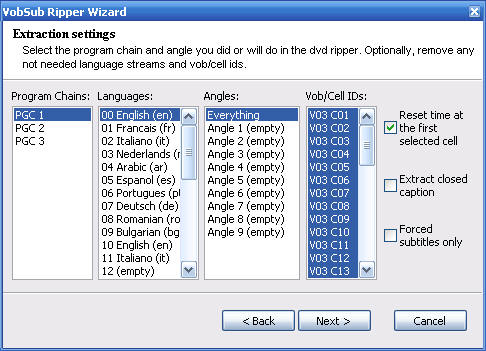
First step is to extract subtitles from DVD. You can use VSRip
or VobSub.
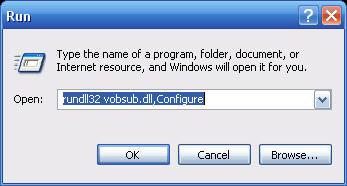
For VobSub open from Start -->> Run , or from Start Menu VobSub
Config,
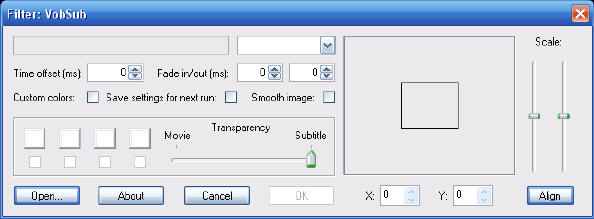
Open IFO file from VIDEO_TS (ifo for movie),

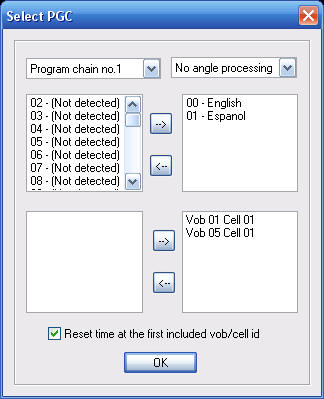 Select Program chain no.1 and only one language. It's not very important.
Remember how many subtitles (language) are.
Select Program chain no.1 and only one language. It's not very important.
Remember how many subtitles (language) are.
Save files in VIDEO_TS folder.
Open with Notepad VTS_01_0.idx and change this line:
# English
id: en, index: 0 -->> change here with language + 1. Ex:
if you have:
00-English
01-Espanol,
change line to:
# English
id: en, index: 2
The line with color for subtitles is:
# The original palette of the DVD
palette: 000000, 828282, 828282,....
You can use any sub/idx but this line must be identical.
Now, how it's work:
Subtitles are not available on "Subtitle" button until they
shows in VOB file. Example: first time when press "Subtitle"
player display
Subtitle 01/01: English , and when subtitles start in
VOB file, player display:
Subtitle 0x/0y , language is not displayed. In this situation,
you can press "Subtitle" button and select what language do
you want.
As I say you can use any sub/idx file because player display subtitles
from VOB file.
For test use this file.
Update....
If you have only one movie on DVD (subtitle is only in one PGC) extract
subtitle for your language (or all). Save sub/idx files in same folder
with movie (VIDEO_TS). Open idx file in a text ediitor (Notepad) and check
first line for timestamp:
# Vob/Cell ID: 3, 1 (PTS: 0)
timestamp: -00:00:00:080, filepos: 000000000
If you find a "-" sign, delete this. Save file and enjoy. After
VOB is loaded by player, press "Subtitle" button and select
what subtitle language do you want.
If you have more than one movie in DVD aplly first solution.
I test this "improvisation" in a 5990 player and work.